Getting Started with a City Protocol OTP
City Protocol has launched the Onchain Token Portfolio (OTP).
An OTP, such as the Magnificent 7 Equal Weight, holds a basket of tokenized stocks in an account you own. There is no pool, no shares, and no redemption queue.
Here's how to get started in just a few minutes.
City Protocol has launched the Onchain Token Portfolio (OTP).
An OTP, such as the Magnificent 7 Equal Weight, holds a basket of tokenized stocks in an account you own. There is no pool, no shares, and no redemption queue.
Here's how to get started in just a few minutes.
Step 1: Sign in
Go to app.venzofinance.com and click Connect Wallet.
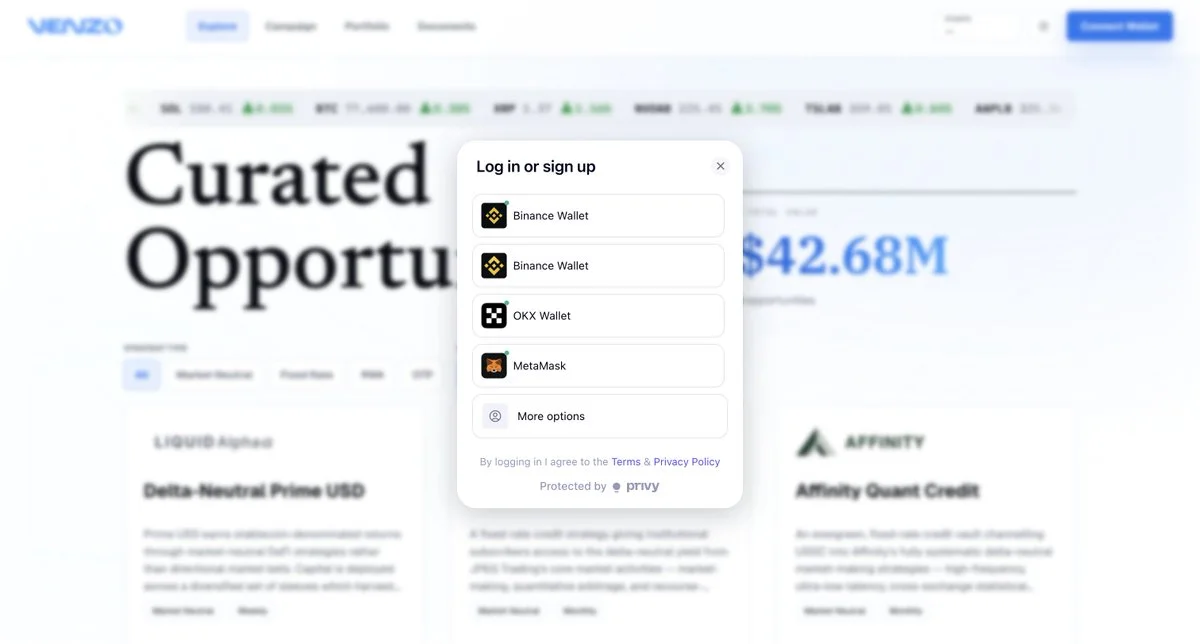
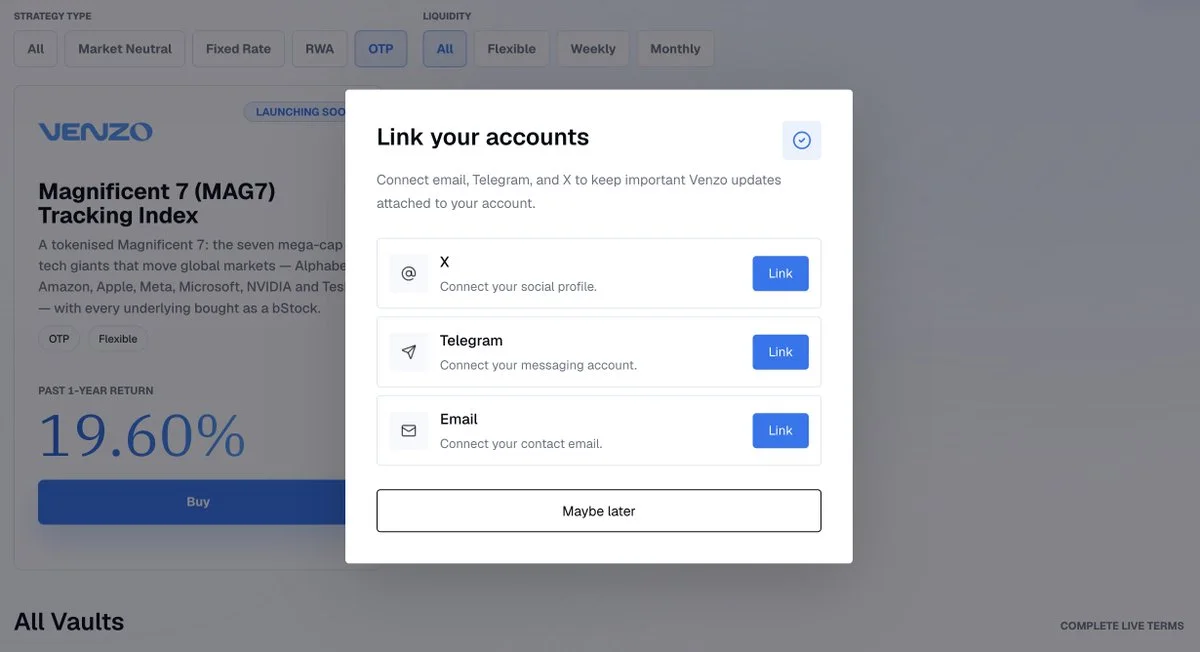
Optionally, link your email and socials to stay signed in.
Step 2: Pick your OTP
Filter Strategy Type to OTP, then click Buy on the one you want.
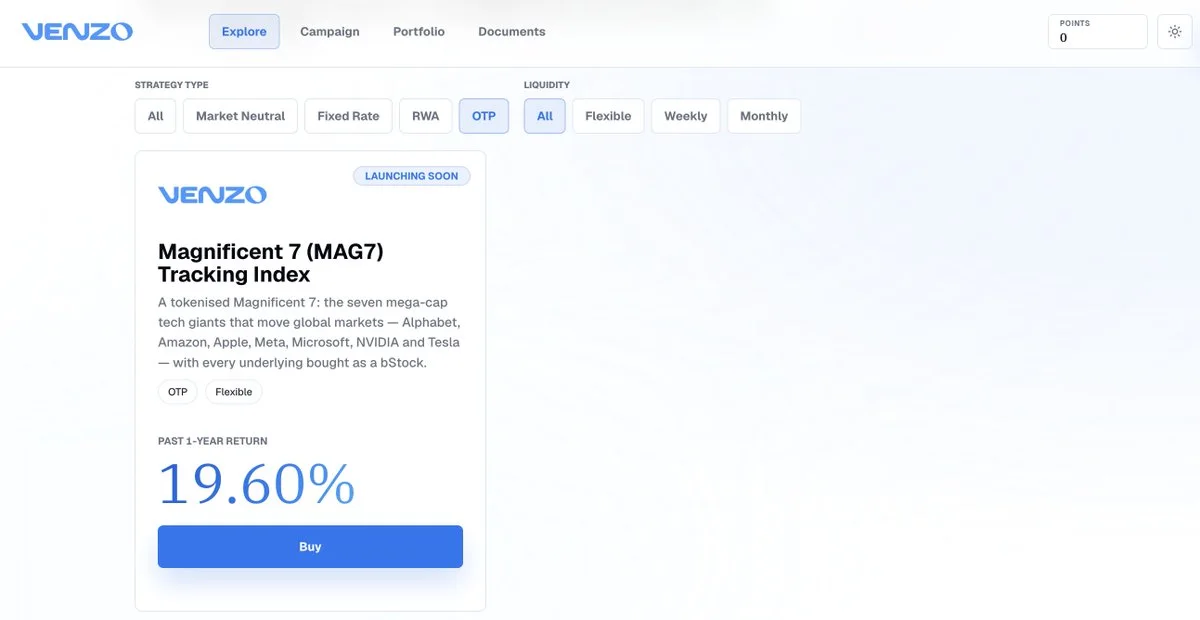
The details page shows holdings, weights, rebalance history, and performance.
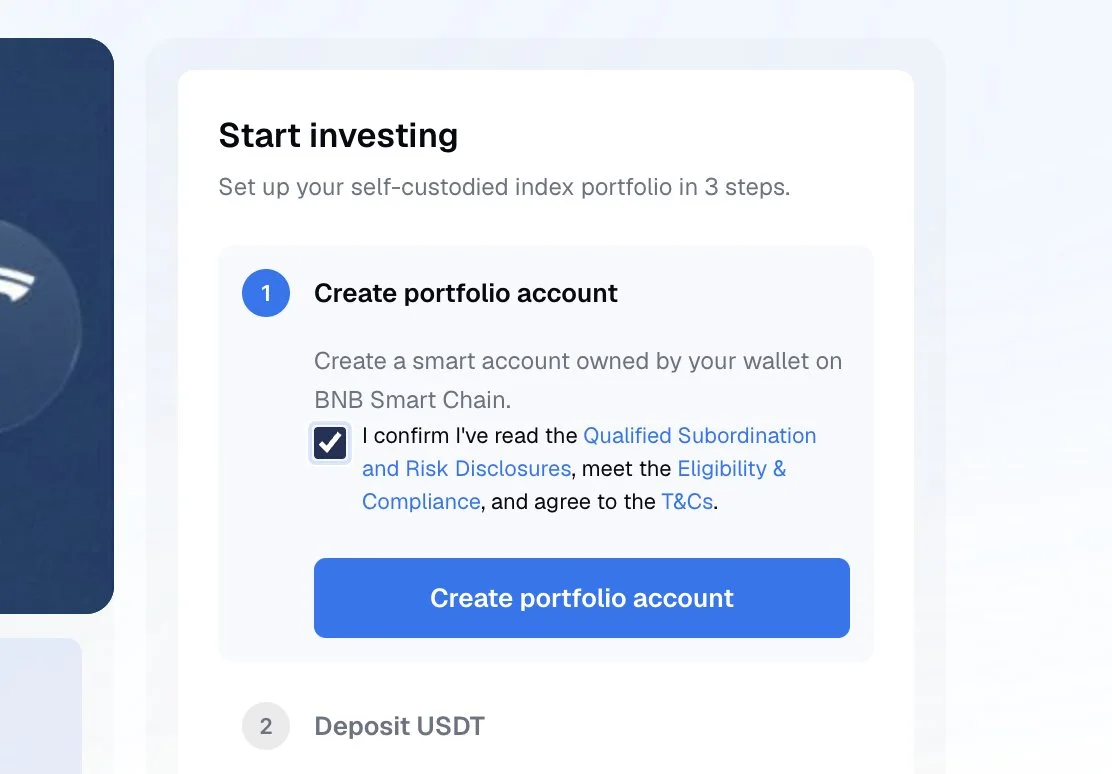
Step 3: Create your portfolio account
Click Create portfolio account and confirm. This deploys a smart account on BNB Smart Chain, owned by your wallet.
City Protocol holds no key and cannot withdraw. Trading permissions are scoped to the portfolio's stocks and revocable at any time.
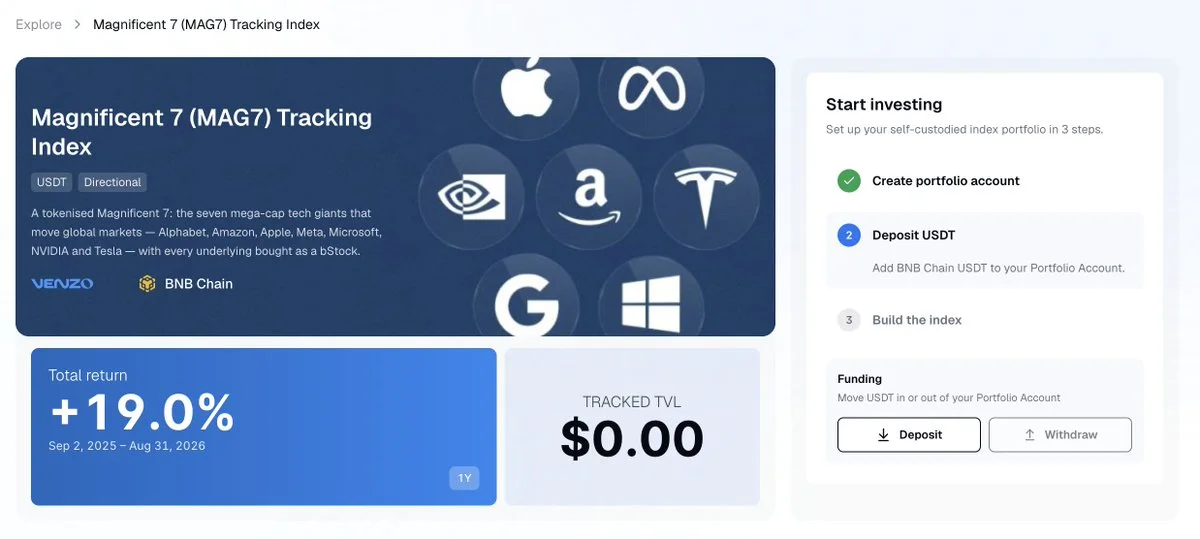
Step 4: Deposit USDT
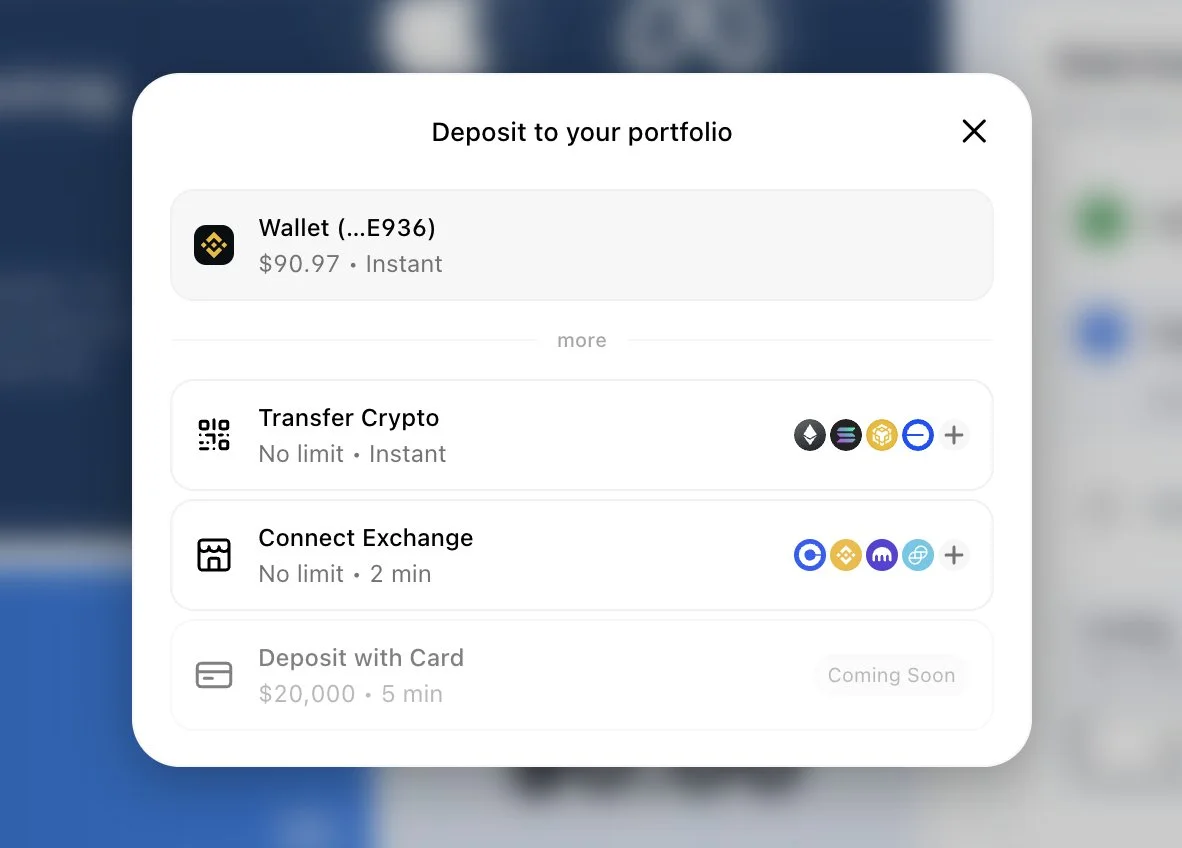
Select the funding asset and network shown on the details page, for example USDT on BNB Chain.
Copy your deposit address, double check the address and network, and send. Your balance credits once the transfer confirms.
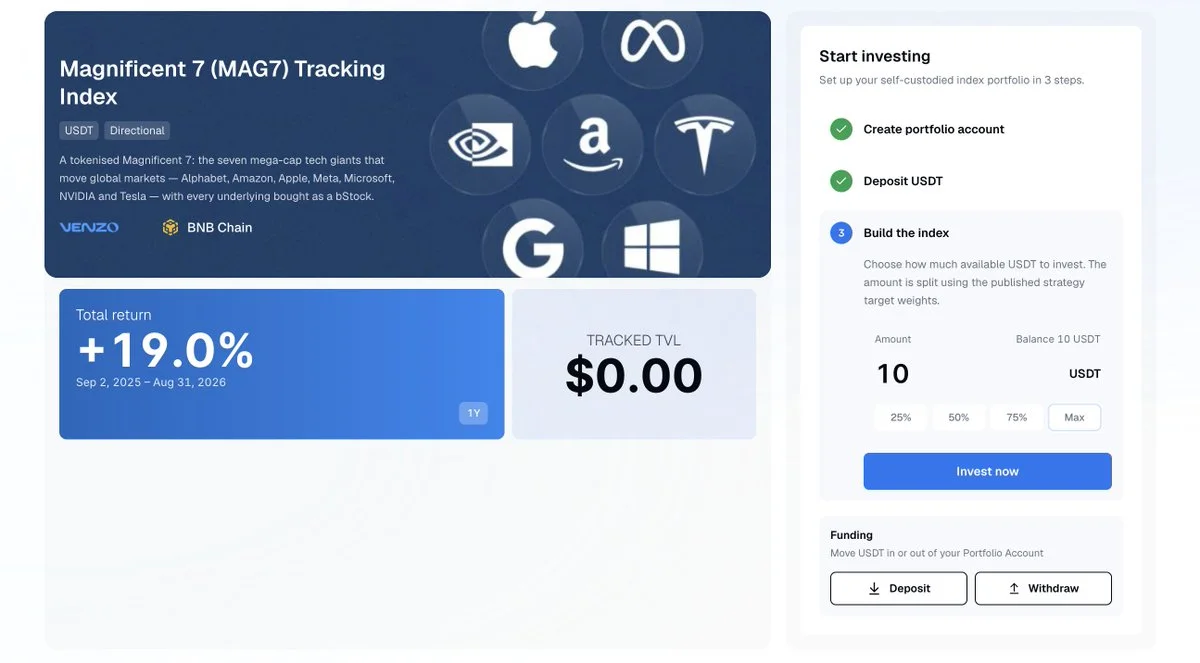
Step 5: Subscribe
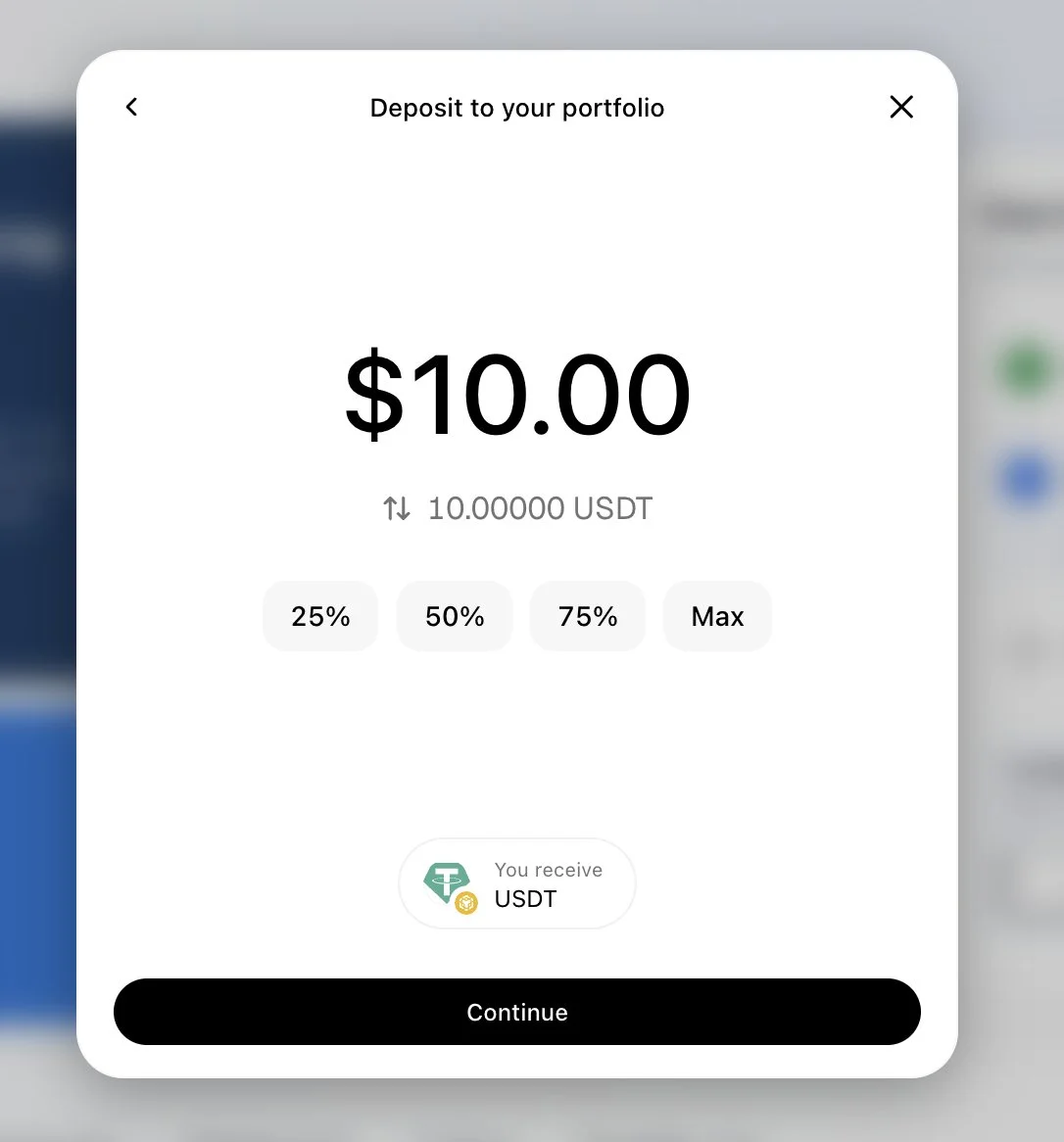
Enter your amount and click Subscribe. Approve the token spend if prompted.
One transaction buys all stocks underlying the OTP at target weight. Every leg settles together in one click.
Step 6: View your holdings
Scroll down to Holdings. You'll see:
- All holdings under the same OTP
- Every confirmed onchain trade
- Rebalance history and weight drift
- Performance over time
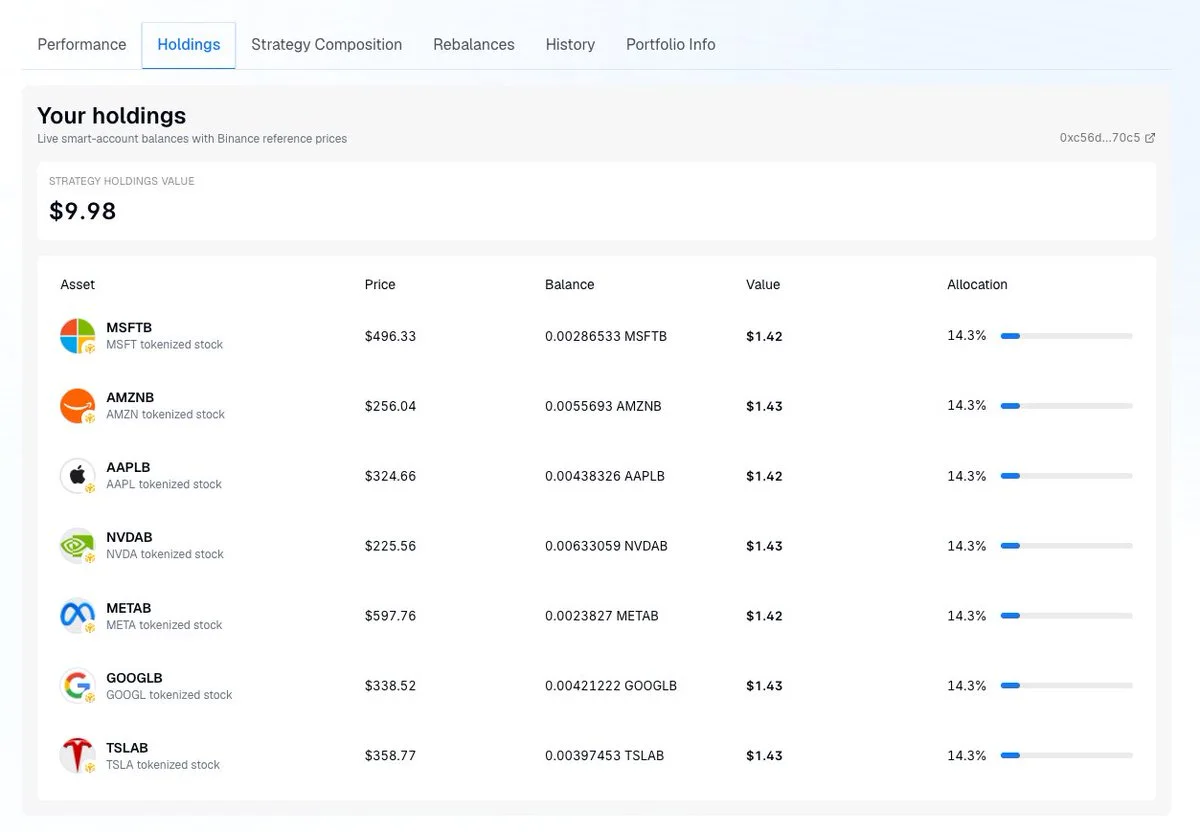
You hold the stocks directly. There is no unit price and no share count.
Step 7: Rebalancing
Each OTP is rebalanced according to its published methodology. In a Portfolio Tracker OTP. For example, Guru OTPs update holdings whenever the tracked fund releases a new filing, such as a quarterly Form 13F.
Every change is published before it executes and is recorded under Rebalances on the details page.
Step 8: Sell your position
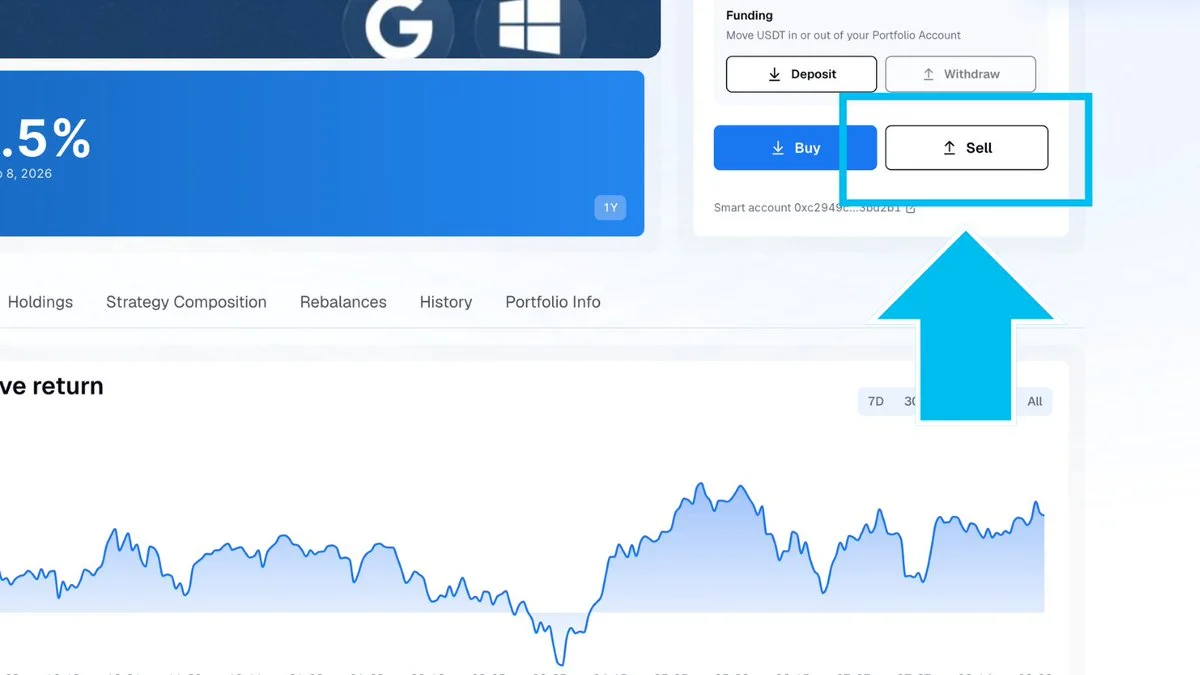
On the details page, click Redeem, enter your amount, and confirm. One transaction sells the basket back to your funding asset.
To sell a single stock, select it under Holdings and click Sell.
Proceeds return to your wallet and can be withdrawn to any address.
Step 9: Congratulations, you've started your first OTP
Your portfolio is now live. You hold the stocks directly, in an account you own, and you can redeem or sell any of them whenever you choose.
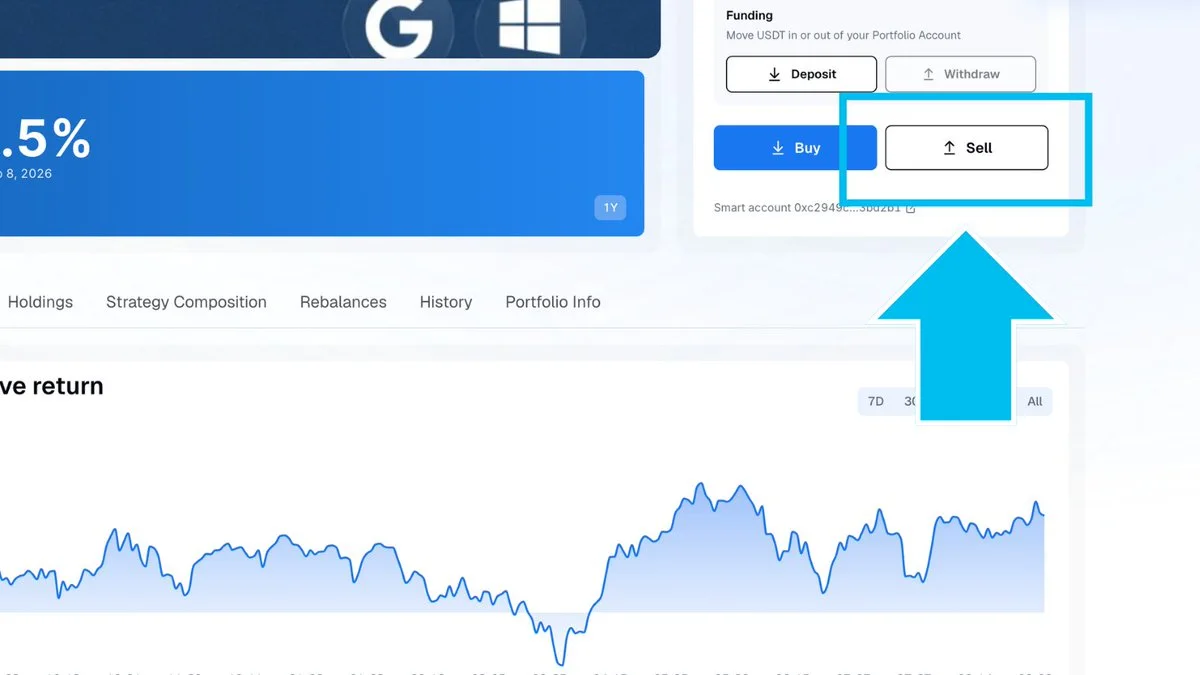
The OTPs are withdrawable at any time. No queue or notice period required.
City Protocol is bringing accessible structured products onchain.
The Onchain Token Portfolio is now live on https://app.venzofinance.com/.
More OTPs are coming soon, including Thematic, Portfolio Tracker and Index portfolios.
Disclaimer: This guide is strictly for educational purposes only and doesn't constitute financial or legal advice or a solicitation to buy or sell any assets or to make any financial decisions. Eligibility checks, KYC and jurisdiction limits apply. Please be careful and do your own research.